


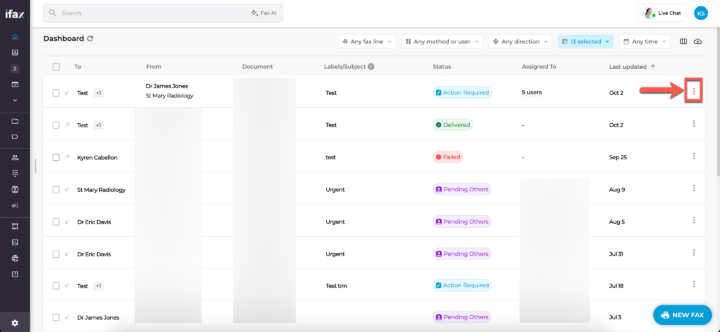
- From the Dashboard, click the three dots next to the fax you wish to block.

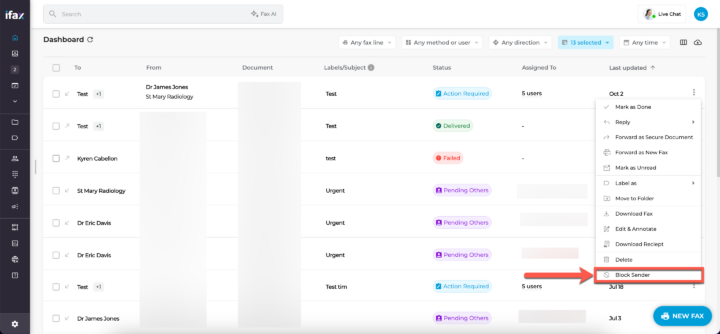
- Click Block Sender at the bottom and a confirmation will appear at the bottom of the screen.
View and manage blocked numbers by following these steps:
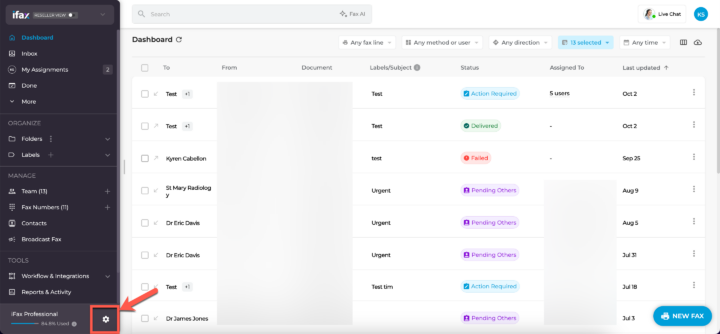
- From your dashboard, go to Settings by clicking the gear icon located in the bottom left.
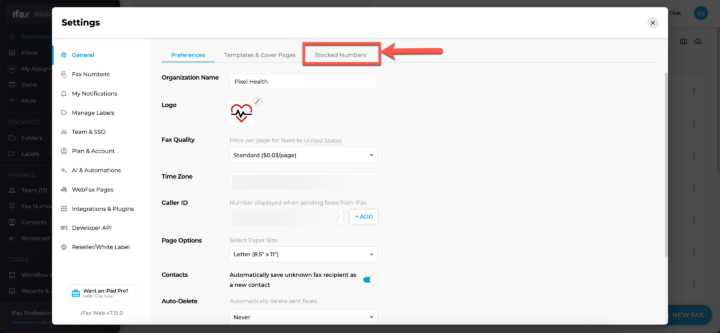
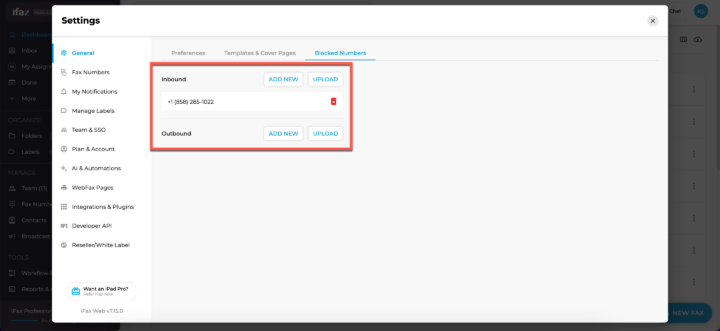
- Under General, select the Blocked Numbers tab. Here you can see all your blocked numbers.
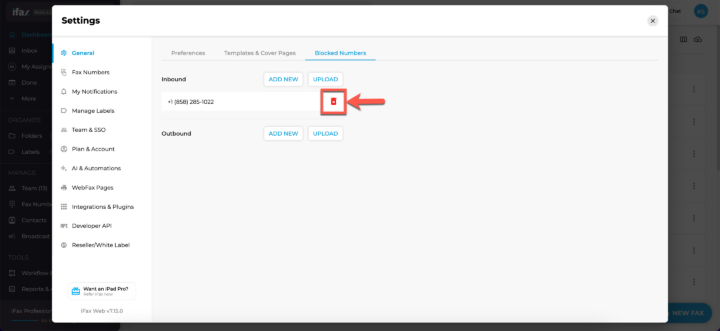
- You can unblock numbers by clicking the red Trash icon to the right of the number.
Blocking numbers on iFax literally takes less than a minute, so next time you receive a junk fax, block the number right away!
If you have any questions or need further assistance, please feel free to reach out. We’re here to help! Thanks for choosing iFax. ❤️