


- Log in to your iFax dashboard.
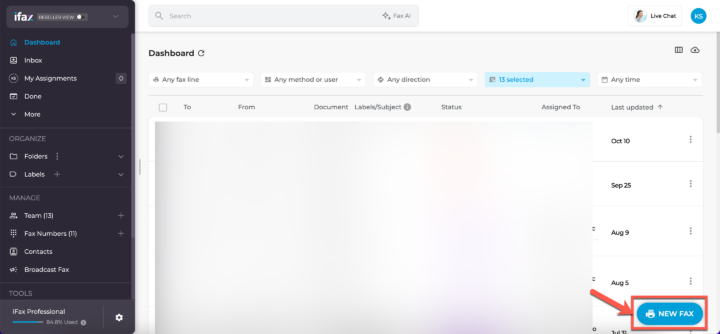
- Click the New Fax button at the bottom right corner.

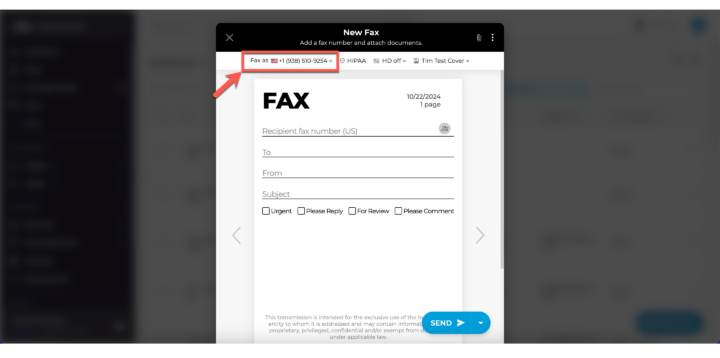
- Choose the fax number you’re sending from.
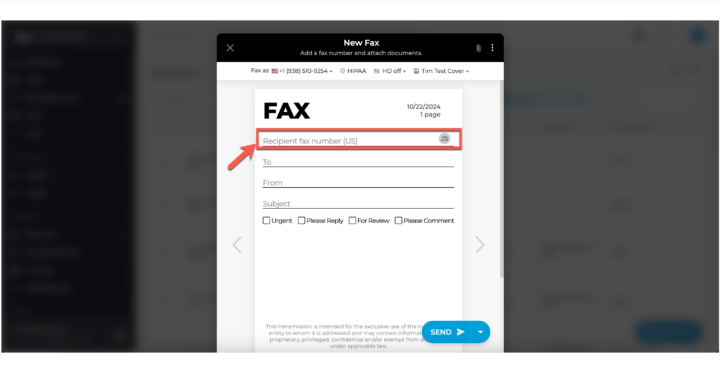
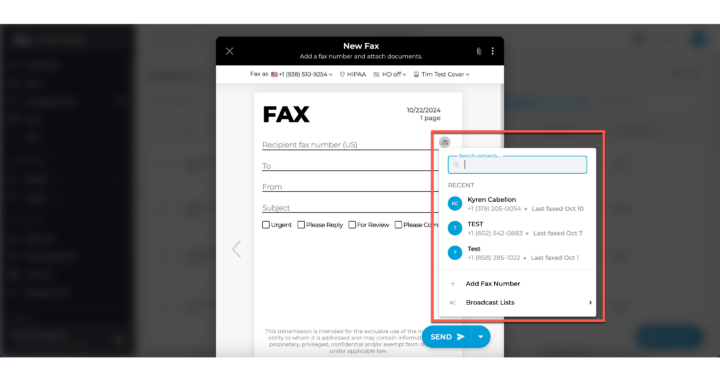
- Input the recipient’s fax number. You can even pick from your contacts! 👥
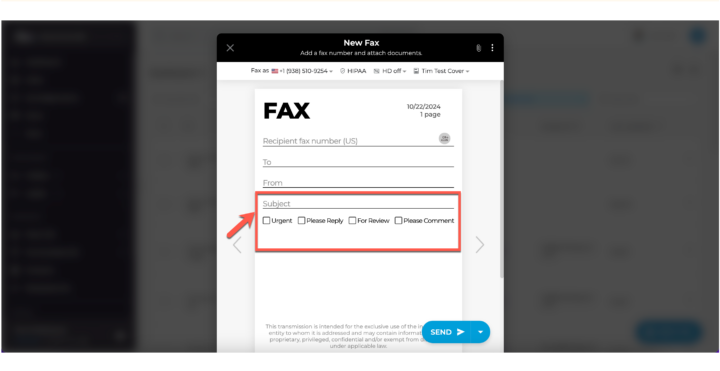
- Add a personal touch with a subject and comment (optional).
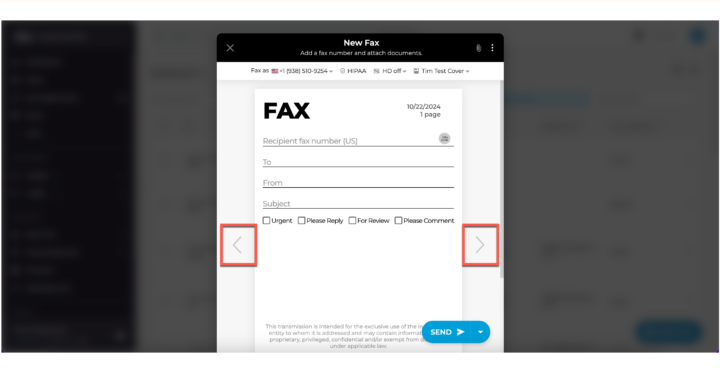
- Pick a stylish template! Swipe left or right to choose.
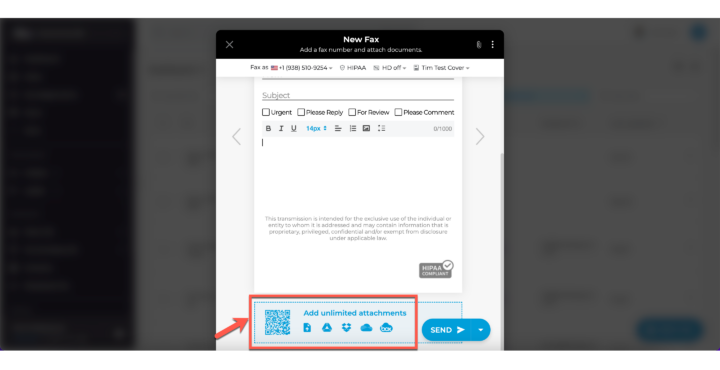
- Drag and drop your documents into the blue box, or simply click it to select files.
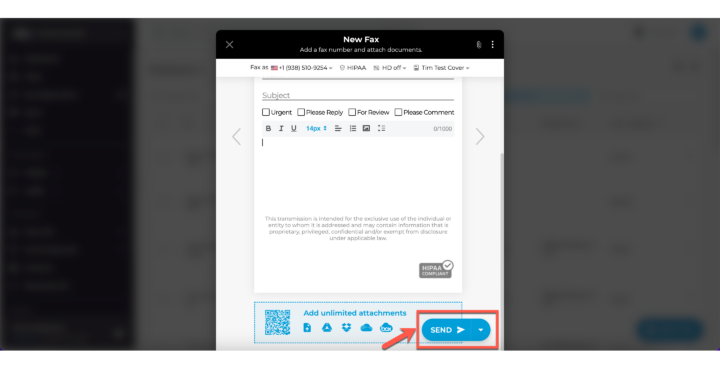
- Ready to send? Click “Send” and watch the magic happen!
Optional extras:
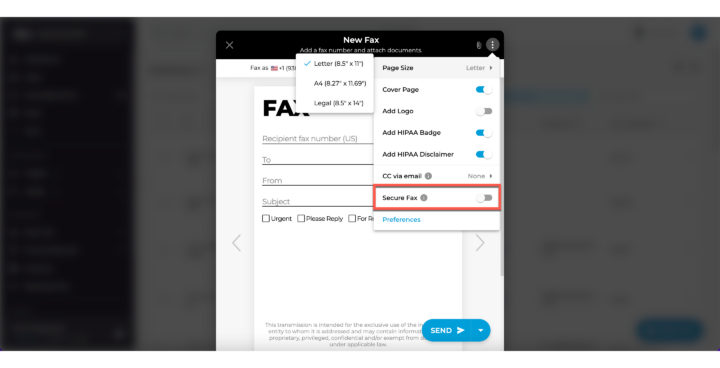
- Click the three dots for more options.
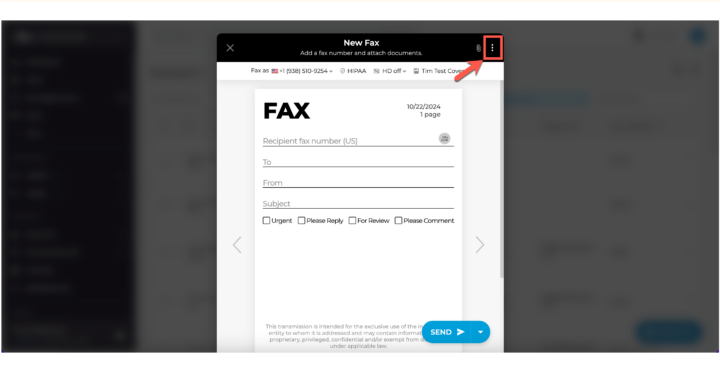
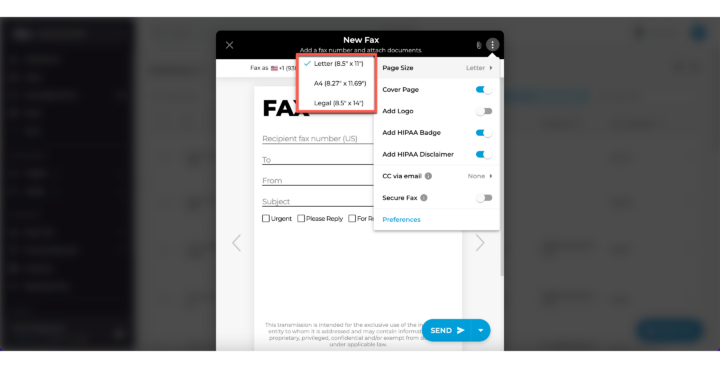
- Choose your page size: Letter, A4, or Legal (default is Letter).
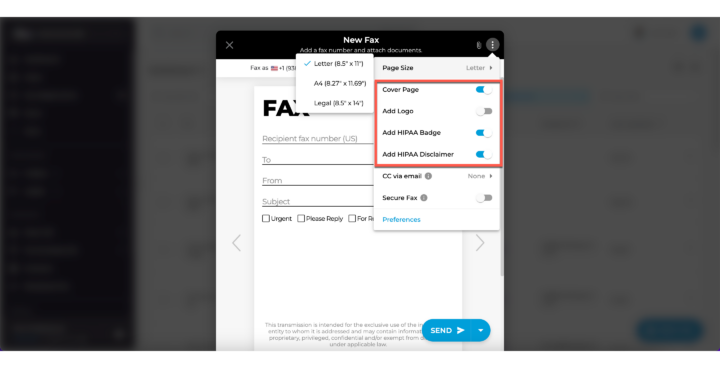
- Customize your fax with a cover page, logo, HIPAA badge, or disclaimer.
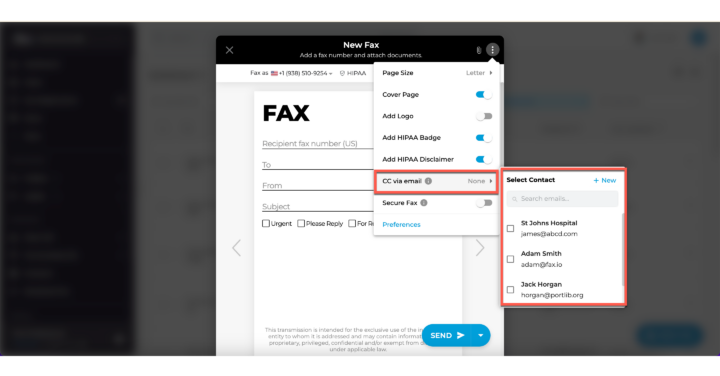
- Want to share the fax via email? Toggle on “CC via email”.
- Keep your documents secure with “Secure fax”.
If you have any questions or need further assistance, please feel free to reach out. We’re here to help! Thanks for choosing iFax. ❤️