SEND
Enjoy iFax services at 50% off!
Your discount will be applied during checkout.
More than 5 million users across 20,000+ companies rely on iFax fax-to-email services.

A fax-to-email service assigns a dedicated fax number linked to your inbox, so incoming faxes arrive as PDF or TIFF attachments, just like a standard email. Open, save, or forward faxes to Gmail, Outlook, iCloud Mail, and send one by attaching a document to an email addressed to the recipient’s fax number.

No learning curve. Send a fax to email as easily as writing a regular email.

Save time and paper. Skip the printer and attach your file straight from your device.

Every fax received and sent to email stays organized and searchable in one inbox.
Discover how iFax is revolutionizing the way you handle faxes.
You can now convert your traditional fax messages into a digital format and send them directly to an email.
Follow these steps and experience the ease of sending faxes to email.

“iFax is smooth. Works every time as expected and its aesthetics are on point.”

HEALTHCARE REFERRALS, STRAIGHT TO YOUR INBOX
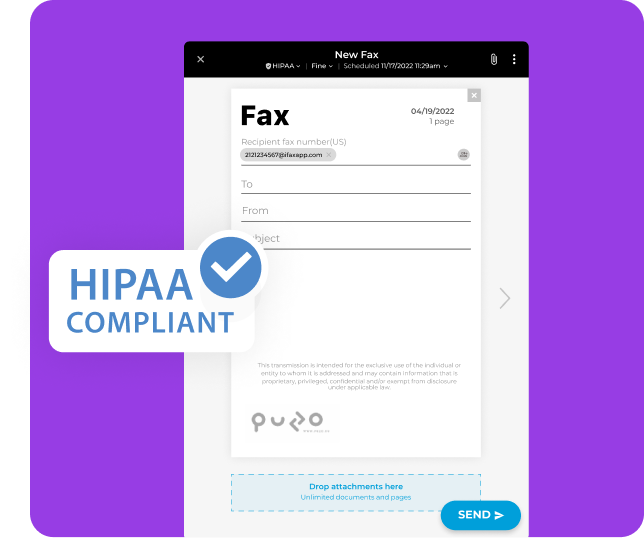
Get every patient referral, lab result, and records request delivered securely to your team’s email inbox.
iFax’s HIPAA-compliant fax-to-email service encrypts every fax with 256-bit AES. Each fax is routed to a secure team inbox or approved email address. Staff can open, forward, and act on protected health information (PHI) faster.
Quick Note: A fax-to-email service alone doesn’t make an organization HIPAA-compliant, but a secure platform built with the right safeguards provides your team with a compliant foundation for exchanging PHI.
Healthcare teams use iFax fax-to-email to:
Faxes arrive in your team’s existing inboxes, so referrals and prior authorizations don’t go unseen on a shared machine.
Encryption, role-level access, and detailed fax transmission history safeguard PHI at every step, from the moment a fax is sent to the moment it reaches the recipient’s inbox.
Staff across clinics, departments, stations, and remote roles can send, reply to, forward, and manage faxes without being tied to a single office.
Skip the printing and scanning. Received faxes can flow into EHR workflows, Microsoft 365, and Google Workspace.
With iFax, you can send and receive faxes right to your email account – anytime, anywhere.
You don’t need any special equipment; all you need is our cutting-edge faxing service.
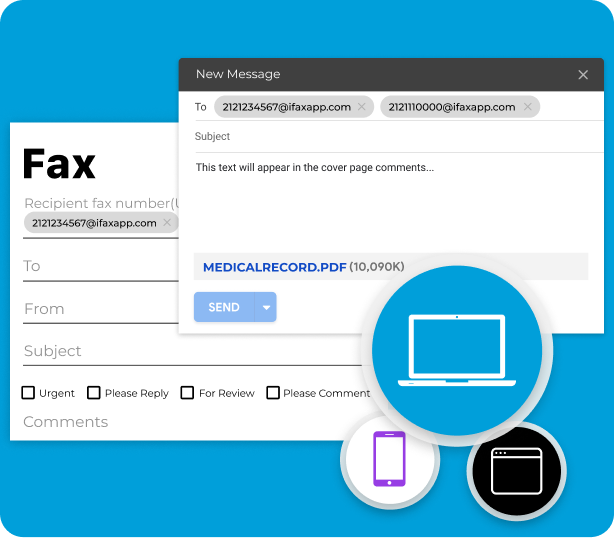
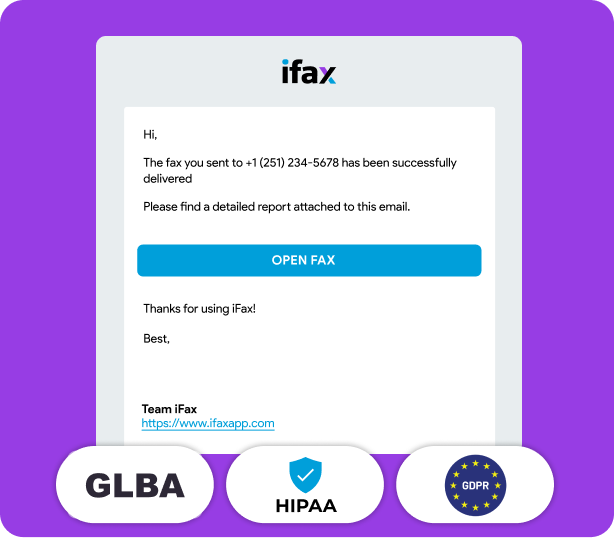
Our digital faxing service ensures your documents are always safe, secure, and encrypted. We use advanced security protocols to protect your sensitive information.
You also get instantaneous transmissions, which means no more waiting for faxes to be sent or received.
By switching to our fax service, you’re not just upgrading your business communication, you’re also making a commitment towards a more sustainable future.
Save paper, ink, and electricity with our eco-friendly, paperless fax solution.
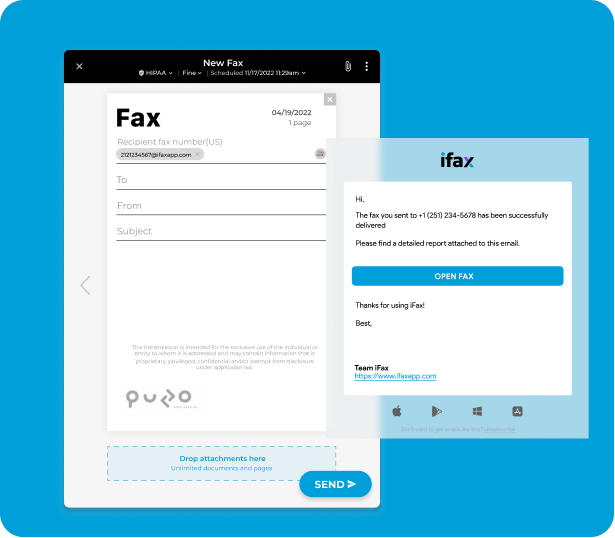


Yes, with iFax’s fax to email service, you can indeed send faxes to any email address. This service leverages the convenience and ubiquity of email, transforming the traditional faxing process into a digital, user-friendly experience.
To forward faxes from a fax number to an email address, follow these steps:
Receiving a fax via email using iFax is a simple and convenient process through our fax to email service. You can enjoy the convenience of receiving faxes directly in your email account without the need for a traditional fax machine. It’s quick, efficient, and environmentally friendly, saving you time and resources.
Fax-to-email services are generally considered to be secure, particularly when using a HIPAA compliant fax to email service provider like iFax. Additionally, exploring free fax options can help you evaluate the security features available. However, it is important to use strong passwords and to keep your inbox organized and secure.
No, fax-to-email services eliminate the need for a physical fax machine.
At iFax, we understand the importance of flexibility and compatibility. Hence, we ensure the faxes you receive through our fax-to-email service are in universally accessible formats like TIFF (Tagged Image File Format), PDF, and JPG, among others.
Empower your teams with effortless fax to email
Go digital and enjoy quick, secure, and compliant faxing—all from your inbox.