Integrate HubSpot with iFax for effortless communication

ifax and hubspot integration

Two-way sync

Sync data and contacts seamlessly between iFax and HubSpot.

Data Sync: Quickly set up an account with pre-defined mappings. Any updates made in HubSpot will sync as they happen.

Contacts Sync: Sync contacts automatically via email matching. iFax’s two-way contact sync ensures contact details stay consistent, excluding duplicates and contacts without valid email addresses.


Control and manage data​

Sync only the data you want. You can configure a one-way or two-way sync, which means you can sync data from one app to the other or back and forth between the two.

You can also add a filter to any iFax field or HubSpot list to sync only what you want and nothing else.

manage fax data with hubspot
custom field mapping feature

Default and custom field mappings

You may opt to use our default field mappings to save time and keep your data clean and organized.

Or define custom mappings to have the flexibility you need.

Streamlined CRM Fax Integration for HubSpot Users

How HubSpot fax integration works

iFax seamlessly connects HubSpot with your fax workflow.

Here’s a 3-step guide to how it works:

  • Step 1: Connect HubSpot
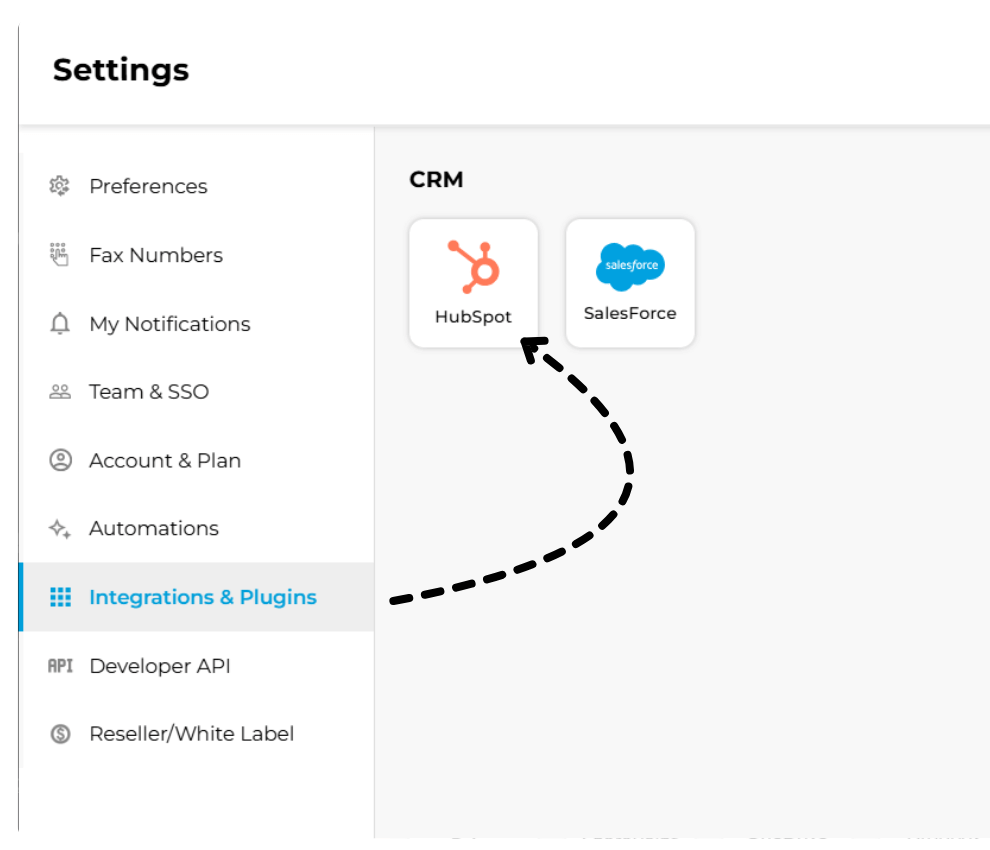
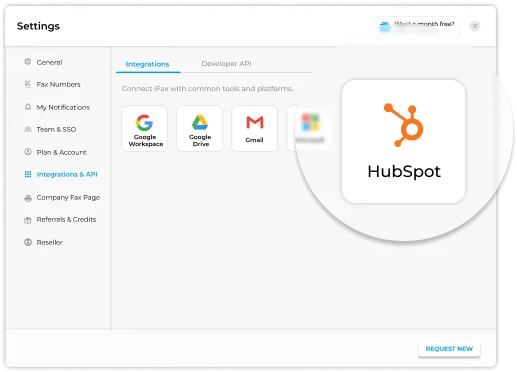
    From Settings > Integrations & Plugins, authorize the iFax integration to automatically sync your HubSpot contacts and records.
  • Step 2: Send a Fax
    Choose a contact, upload your document, and send it instantly through the HubSpot interface.
  • Step 3: Track Fax Activity
    Monitor fax deliveries to ensure every fax reaches the intended recipient.
Integrate iFax with HubSpot
Unleash the full power of
iFax + HubSpot​
Connect your HubSpot CRM and faxing workflows for a seamless, automated communication experience.

HubSpot Fax Integration FAQs

The iFax and HubSpot integration seamlessly connects your CRM with your online fax system. Once linked, you can send, receive, and manage faxes right from your HubSpot dashboard.

All fax activity, including delivery statuses and transmission logs, will be automatically synced with your contacts and company records, ensuring proper documentation for every interaction.

Yes. iFax supports HIPAA compliance with free BAA signing for all HIPAA-compliant plan users. Our fax service adheres to strict security standards, including end-to-end encryption and access controls. When integrated with HubSpot, all transmitted documents are securely stored and protected, making the setup suitable for use in regulated industries.

Disclaimer: While iFax maintains HIPAA compliance, users are responsible for ensuring that their HubSpot configuration and internal processes also meet applicable compliance requirements.

Yes. iFax automatically syncs your HubSpot contacts, ensuring all faxed documents connect directly to the correct record. Any updates made to contact details in HubSpot are reflected in iFax, keeping both systems aligned for consistent data accuracy.

Sending fax on HubSpot is a straightforward process. Open your contact record, choose the iFax integration option, and attach the fax document you want to send.

Once submitted, iFax delivers the fax securely and logs the activity under the same contact. You can track the fax status, delivery confirmation, and history directly within your HubSpot CRM.

Arrow-up