


How to Send a Fax Online
Complete step-by-step guide on how to send a fax online with iFax, which offers a faster, safer, and more convenient way to fax.
Enjoy iFax services at 50% off!
Your discount will be applied during checkout.
Complete step-by-step guide on how to send a fax online with iFax, which offers a faster, safer, and more convenient way to fax.
When faxing online, you don’t need a phone line or a bulky fax machine. You only need three things:
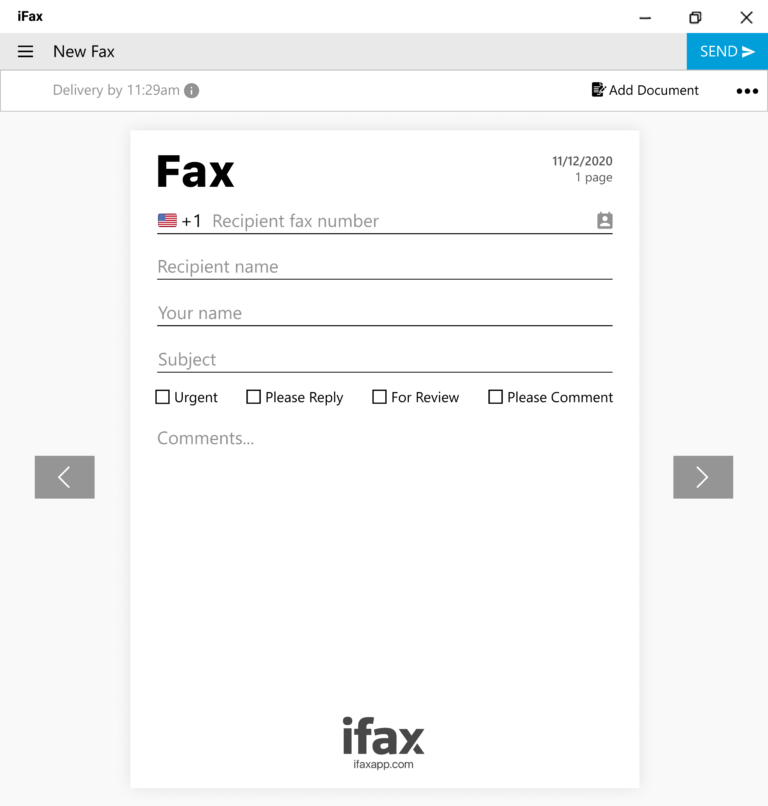
Enter the fax number (local or international) of the contact you want to send your fax to.
Select the document or files you wish to fax. Include a fax cover sheet for documents containing sensitive information.
Proceed with sending the fax online. Wait for the confirmation update to arrive in your inbox and app notification.
Learn how to send a fax through email in Gmail, Outlook, Yahoo Mail, and other platforms. Faxing online through email will only work if your fax service has email-to-fax functionality.
Figuring out how to send a fax from a phone or other mobile device is easy. First, make sure to enable online access on your phone and then follow these steps:
Faxing online from a computer is a straightforward process. There’s no need for a fax modem or phone line connection. With a fax service, you can send faxes instantly.


 Effortlessly Simple
Send a fax online instantly and save on costs with a hassle-free way to send and receive faxes. Its intuitive online fax interface works on any computer, phone, or tablet that you already use.
Secure Beyond Standards
Ensure the privacy of each fax you send online, safeguarding it from any unauthorized access. iFax offers unmatched security, from encrypted transmissions to secure cloud storage.
No Hardware Limits
Enjoy multiple ways to send a fax online, from computers to phones and other mobile devices. You can also fax directly from email, eliminating delays caused by traditional fax setups.
Frequently Asked Questions About Sending A Fax Online
To start sending faxes online, you need an Internet-connected computer, tablet, or smartphone, and an online fax service like iFax. Faxing online typically requires uploading your document and providing the recipient’s fax number in the correct format. Online fax services often offer additional features such as email integration, cloud storage connections, and instant delivery notifications to streamline the process.
Yes. Online faxing with iFax is highly secure and designed to protect sensitive information. iFax utilizes encryption protocols, including TLS and SSL, during transmission and storage, ensuring your critical documents remain confidential. Additionally, iFax complies with HIPAA, GLBA, and other industry regulations, which guarantee privacy and security for business communications.
No, you don’t need a traditional phone or fax line to send faxes online. Services like iFax can fax over the Internet and do not rely on any wired or copper-based network. Faxing online requires that you connect your device via a mobile network (such as 4G or 5G) or a WiFi network.
iFax provides instant delivery notifications, letting you track and confirm your fax status. After sending the fax online, you will receive a real-time confirmation email or app alert. Fax delivery confirmations eliminate uncertainty and ensure accountability. It also enables you to monitor all your fax transmissions efficiently.
iFax supports a wide variety of file formats, including PDF, Word (.doc and .docx), and standard image formats like JPEG, PNG, and TIFF. This versatility allows you to fax virtually any document type directly from your device, email, or cloud storage, simplifying file sharing and reducing the need for manual conversion.
Yes. Online faxes sent via services like iFax are legally valid for contracts, agreements, and other official documents. Most importantly, your fax platform or service must meet all legal and regulatory standards for online faxing. The fax platform must comply with all necessary guidelines for secure information exchange. It must also comply with all relevant electronic signature and record laws, such as the U.S. ESIGN Act and UETA, and maintain secure, time-stamped records of fax transmissions.