
Can you fax a prescription to a pharmacy? In most cases, yes. Licensed prescribers can fax prescriptions to pharmacies, but what’s allowed depends on the drug’s schedule and your state’s rules. Non-controlled drugs are generally straightforward, while controlled substances, especially Schedule II, have strict limits.
Below is a brief overview of the rules for faxing prescriptions, including what they should include and how to send one securely.
On This Page
Can You Fax a Prescription to a Pharmacy?
The answer depends on the type of drug:
|
Drug Category |
Can it be faxed? |
|
Non-controlled medications |
Generally yes, subject to state rules |
|
Schedule III–V controlled substances |
Yes, and the fax serves as the original prescription |
|
Schedule II controlled substances |
Generally not by fax alone; the original signed prescription is usually required before dispensing |
|
Schedule II exceptions |
Hospice patients, long-term care facility residents, and certain IV compounding cases |
In most cases, a pharmacist must receive the original signed paper prescription or an electronic prescription before dispensing a Schedule II drug. The exceptions are prescriptions for hospice patients and long-term care facility residents, where the fax serves as the original. Prescriptions for Schedules III–V can be faxed, and the fax serves as the original.
State law also adds another layer. For example, New York does not treat a computer-generated failover fax from an e-prescription as a valid prescription, and the pharmacist must confirm it with the prescriber.
Always check your state board of pharmacy’s current rules.
Disclaimer: This guide draws on federal regulations (DEA, 21 CFR Part 1306; HHS) and state pharmacy board guidance. It’s for general information only and isn’t legal or medical advice. Please confirm the specific requirements with your state board of pharmacy or compliance counsel.

Who Can Fax a Prescription?
Prescribers and their authorized agents are the standard senders. A nurse or medical assistant can transmit a prescription on the prescriber’s behalf where state rules allow.
What about patients?
Patients often ask, “Can I fax a prescription to my pharmacy?” Generally, it’s not recommended to do so since a patient-sent copy usually isn’t enough on its own. Pharmacies may still need the original or confirmation from the prescriber, and controlled substances are far more restricted.
Patients should call the pharmacy first. Or better yet, the patient should ask the prescriber’s office to fax the prescription directly to the pharmacy.
What a Faxed Prescription Should Include
Missing details are a common reason pharmacies call back and delay fills.
Always include the following when faxing prescriptions:
- Patient name, date of birth, and address
- Drug name, strength, quantity, directions, and refills
- Prescriber name, address, phone number, and NPI
- DEA number for controlled substances
- Prescriber signature and date
- Pharmacy name and verified fax number
- A cover sheet with a confidentiality notice
Note: Some states also require the prescription to be marked as faxed. Texas, for example, requires a statement indicating that a faxed prescription was faxed.
How to Fax a Prescription to a Pharmacy: Step by Step
- Confirm the pharmacy accepts faxed prescriptions. Call and verify the pharmacy’s fax number. A wrong number sends protected health information (PHI) to the wrong place.
- Check the drug schedule and state rules. This determines whether a fax is valid or only an advance notice.
- Prepare the signed prescription as a clear PDF or scan.
- Add a cover sheet with sender, recipient, page count, and a confidentiality notice.
- Send it with a HIPAA-compliant online fax service. With iFax, you can fax by email, computer, phone, or web, or from your EHR, with no fax machine or phone line required.
- Save the delivery confirmation in the patient’s record.
- Follow up if needed. For time-sensitive prescriptions, call to confirm receipt.
What does “Rx faxed” mean?
“Rx faxed” generally means the prescription was transmitted to the pharmacy by fax rather than through a standard electronic prescribing channel. Many EHR and e-prescribing systems record whether a prescription was printed, faxed, or electronically transmitted. Depending on the system’s configuration, faxing may be selected manually or used automatically when the pharmacy cannot receive electronic prescriptions, the prescriber is not enabled for e-prescribing, or another transmission limitation applies.
A “faxed” status identifies the recorded transmission method, but it does not necessarily confirm successful delivery, pharmacy acceptance, or dispensing. The exact meaning depends on the EHR or e-prescribing platform.

Why Pharmacies Still Use Fax
The use of fax machines in pharmacy persists for practical reasons:
- Not everyone is e-prescribing enabled. Some smaller prescribers and pharmacies still rely on fax as their common denominator.
- Fallback during outages. Fax keeps prescriptions moving when electronic systems are down.
- Regulatory exceptions. Hospice and long-term care workflows rely on the fax provisions above.
- Legacy workflows. Many practices still exchange orders, refill requests, and records by fax.
According to the Office of the National Coordinator for Health IT (ONC), most prescribers (82%) and nearly all pharmacies are now enabled for electronic prescribing of controlled substances. E-prescribing is the preferred route where available, but fax remains a common fallback for the gaps.
Fax is a transmission method, not a compliance guarantee, so how it’s sent matters.
Keeping Faxed Prescriptions Secure and HIPAA-Compliant
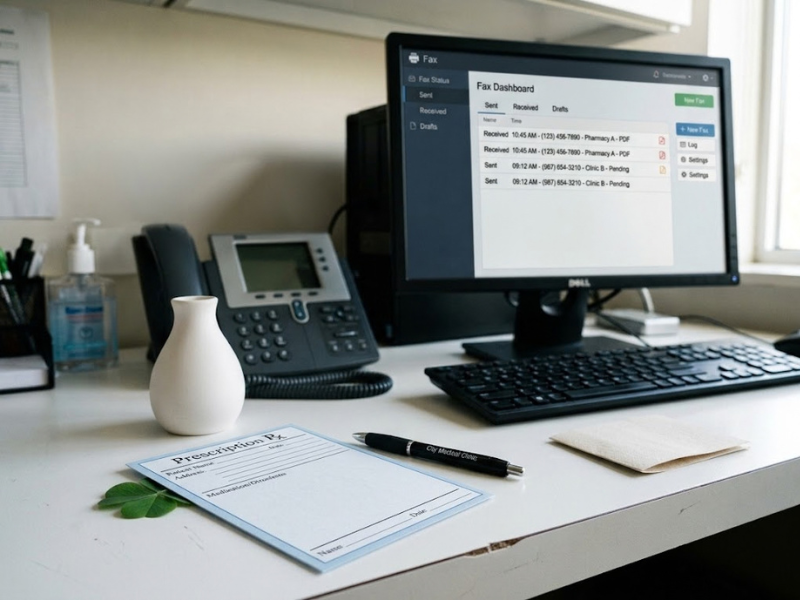
Since prescriptions contain PHI, it’s important to choose a faxing method that safeguards it. Look for:
- Encryption in transit and at rest
- Access controls and user permissions
- Audit trails and delivery confirmation
- A documented process for misdirected faxes
- A signed Business Associate Agreement (BAA)
Using a secure online service supports HIPAA-compliant fax workflows, but no software alone makes an organization compliant. Compliance depends on your policies, training, and safeguards.
Check HHS’s Summary of the HIPAA Security Rule for the safeguards that regulated entities are expected to have in place.
Frequently Asked Questions
How do I fax a prescription?
First, confirm the pharmacy’s fax number, prepare the signed prescription, add a cover sheet with a confidentiality notice, and send it via a HIPAA-compliant fax service such as iFax. Save the confirmation.
Can Schedule II prescriptions be faxed?
Generally, only as an advance notice, with the original required before dispensing. Hospice, long-term care, and certain IV compounding cases are exceptions.
Is a faxed prescription valid?
For non-controlled and Schedule III–V drugs, generally yes if it meets federal and state requirements. State rules vary.
Are faxed prescriptions HIPAA compliant?
It depends on how they’re sent. A secure healthcare fax solution with encryption, access controls, and audit trails can support HIPAA-compliant workflows, but your organization’s own safeguards still matter.
Fax prescriptions securely with iFax. Get a demo or start free.