
Fax Number Guide: Plan, Route, and Secure Your Business Fax Numbers

Fax Number Guide: Plan, Route, and Secure Your Business Fax Numbers

A business fax number works best when it is planned, not just purchased. This fax number guide explains how many numbers a company needs, what makes a fax number HIPAA-compliant, and how to route, publish, and retire numbers without losing documents.

Where this fax number guide fits

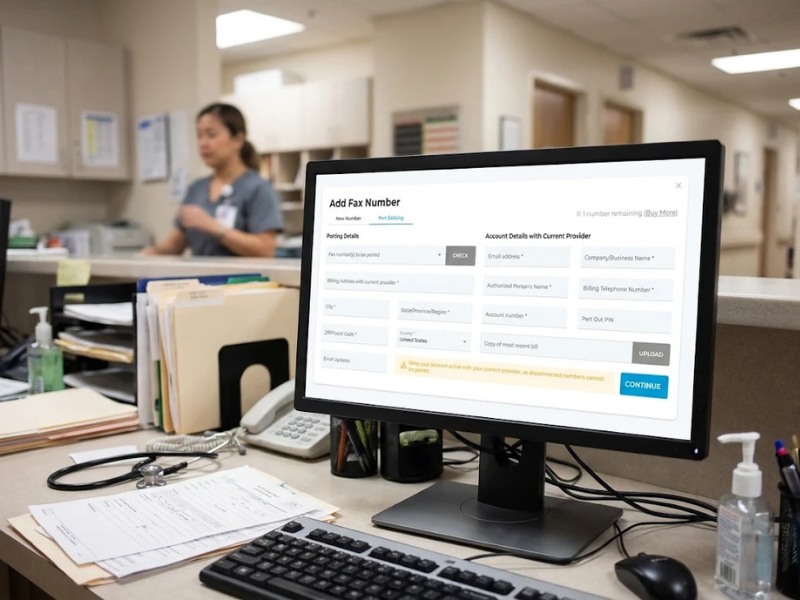
New to fax numbers? Start with getting a new fax number and how to port existing ones.

This guide picks up afterward, when your team has to decide how many numbers to run and who is responsible for them.

For number types, see local, toll-free, and international fax numbers.

How Many Fax Numbers Does a Business Need?

A single-site team can usually operate on a single shared number. Add more when departments, locations, or sensitivity levels need separate routing, access, or reporting.

A dedicated fax number for each function keeps documents from piling into one inbox.

Scenario

Numbering approach

Why it helps

Single office

One shared number

Simple to publish and maintain

Multiple locations

One number per site

Referrals and forms reach the right office

Separate departments (billing, intake, records)

One number per department

Clear ownership and reporting

Sensitive or regulated inbound (such as PHI)

Dedicated number with restricted access

Limits who can see incoming documents

Automated, high-volume workflows

Separate number per process

Keeps automated traffic apart from staff inboxes

For numbers that send and receive regulated documents, the HIPAA section below applies.

What is a HIPAA Compliant Fax Number?

No fax number is HIPAA compliant on its own. HIPAA does not certify numbers or fax machines. It holds covered entities and business associates responsible for implementing reasonable safeguards when handling protected health information (PHI). A HIPAA-compliant fax number is one used within a workflow that has those safeguards in place.

What Makes a Fax Number HIPAA Compliant?

HHS guidance says providers may share treatment information by fax and provides examples of reasonable safeguards: confirming the fax number is correct before sending and pre-programming frequently used numbers to avoid misdirected faxes. The number is where PHI arrives, so the process around it carries the weight.
Fax Number Guide: Plan, Route, and Secure Your Business Fax Numbers

HIPAA fax number checklist

  • Verify new or changed recipient numbers by calling a known contact.
  • Keep a controlled directory of confirmed destinations and review every change.
  • Assign each number that receives PHI to a named owner, with role-based access.
  • Send only the minimum information necessary. Always keep PHI off the cover sheet.
  • Confirm your fax provider will sign a business associate agreement before PHI is sent.
  • Document a response plan for misdirected faxes with your privacy officer.

iFax by Amplify supports HIPAA-compliant faxing workflows for healthcare organizations, but compliance depends on how your organization uses it.

See iFax for healthcare and these HIPAA-compliant faxing tips.

Disclaimer: This is general information only, not legal advice.

How Should Incoming Faxes Be Routed to the Right Team?

Give every number one owner and one inbox. A single shared inbox slows triage and exposes sensitive documents to people who do not need them.

Instead:

  • Map each number to the team responsible for specific documents.
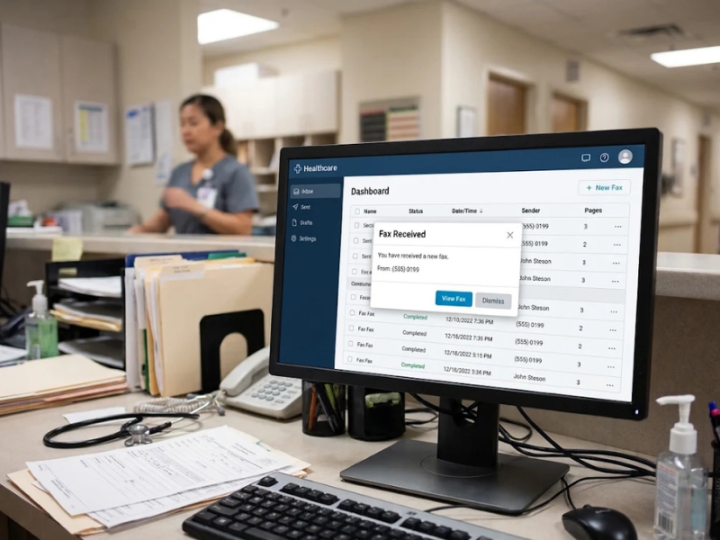
  • Use team inboxes and fax-to-email delivery so faxes reach the right people quickly.
  • Limit access to sensitive inboxes by role.
Fax Number Guide: Plan, Route, and Secure Your Business Fax Numbers

How Do You Keep Published Fax Numbers Accurate?

A fax number only helps if senders use the current one. When a number changes, update every place it appears: email signatures, cover sheets, referral forms, and partner or payer directories.

Our guide to verifying fax numbers covers how to confirm a number before you send.

In essence:

  • Keep one master list of fax numbers and their owners.
  • Update signatures, cover sheets, and forms the day a number changes.
  • Tell frequent senders before the change takes effect.
  • Review the list on a regular schedule.

What is the lifecycle of a business fax number?

  1. Provision. Get a new number or port an existing fax number.
  2. Assign. Name an owner and connect the number to an inbox.
  3. Publish. Add it to your directory, signatures, and forms.
  4. Review. Check usage and access on a regular schedule.
  5. Retire. Give senders notice, keep the old number active during the transition where possible, and avoid reusing it right away.

Key takeaways: planning your fax number strategy

  • Decide how many numbers you need based on routing and access, not habit.
  • Keep your directory current so documents reach the right destination.
  • Treat HIPAA as a workflow around the number, not a property of it.

Use this fax number guide as a planning checklist the next time your team adds, moves, or retires a number.

Use Case (Illustrative Scenario)

Consolidating fax numbers across clinic locations

Consider a practice administrator at a multi-location specialty clinic group. Each site runs its own legacy fax line, referrals land in one overloaded inbox, and the published directory is out of date. With iFax, the group can port existing numbers, assign a number to each site or function, route each to its own team inbox, and update the directory once. Referrals reach the right team, staff forward fewer documents by hand, and the privacy officer has a clear owner for every number that receives PHI.

Plan Your Business Fax Numbers with iFax

Ready to set up or consolidate your numbers? Explore business fax numbers with iFax, including the option to port numbers you already use.

Managing several locations or compliance-driven workflows? Talk to the iFax team about a setup that fits.

Frequently Asked Questions

Do I need a separate fax number for each department?

Not always. Separate numbers help when departments need their own routing, access, or reporting, such as patient intake or billing records. A small single-site team can start with one shared number.

Is there such a thing as a HIPAA compliant fax number?

No fax number is compliant on its own. Compliance depends on the safeguards, agreements, and workflows around the number, including verifying recipients and controlling access.

Can I keep my existing fax number when I switch to an online fax service like iFax?

Usually, yes, through porting. Timing and eligibility depend on the number and region, so it’s best to check the porting details before you switch.

How do I verify a recipient’s fax number before sending sensitive documents?

Use a controlled directory and confirm new or changed numbers by calling a known contact. Never rely on the number printed on an unexpected fax.

What should I do when a fax number changes?

Act right away. Update your directory, signatures, cover sheets, and partner lists, and notify frequent senders. Where possible, keep the old number active for a transition period.

Kent CaƱas

Kent is a content strategist currently specializing in HIPAA-compliant online fax. Her expertise in this field allows her to provide valuable insights to clients seeking a secure and efficient online fax solution.

More great articles
Fake Fax Numbers: Why They Exist and How to Identify Them

If there is one massive disadvantage of going digital, it’s exposing oneself to online scams.....

Read Story
How To Secure Contacts (2027 Easy Guide)

This post outlines the best ways to secure contacts and explains why it is crucial for organizations...

Read Story
Fax Number Provisioning: What Is It, How It Works

What exactly is fax number provisioning, and how does it work?

Read Story
Subscribe to iFax Newsletter
Get great content to your inbox every week. No spam.

    Only great content, we don’t share your email with third parties.
    Arrow-up