The Short Version: OCR in healthcare converts fax images into searchable text, but faxes are hard to read. Low-resolution images and the lack of standard layouts are the main reasons automation fails. The harder job comes after reading: classifying each document, extracting key fields, and routing it, all of which are prone to errors that delay referrals, claims, and payments.
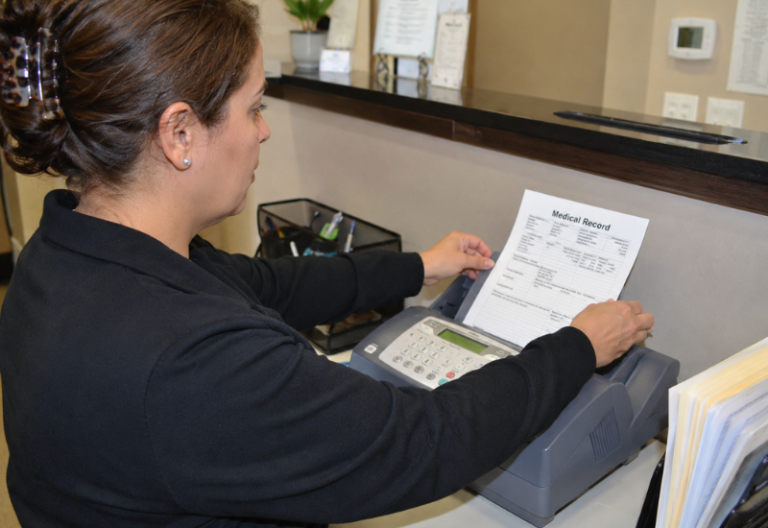
Fax is still how many healthcare organizations exchange referrals, medical records requests, and insurance paperwork. OCR is the first step in handling those documents digitally, and fax is one of the hardest inputs it will meet.
This guide explains why, how to measure accuracy honestly, and how to adopt AI document processing in phases without disrupting the fax traffic you can’t control. It gives you three tools to reuse: a failure-mode taxonomy, a three-level accuracy framework, and a phased roadmap.
On This Page
What is OCR in Healthcare, and Why Are Faxes a Hard Input?
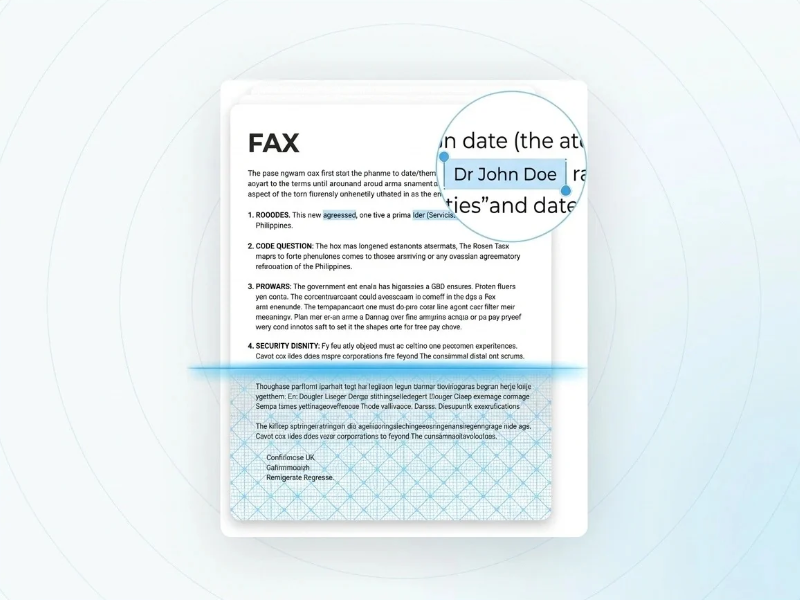
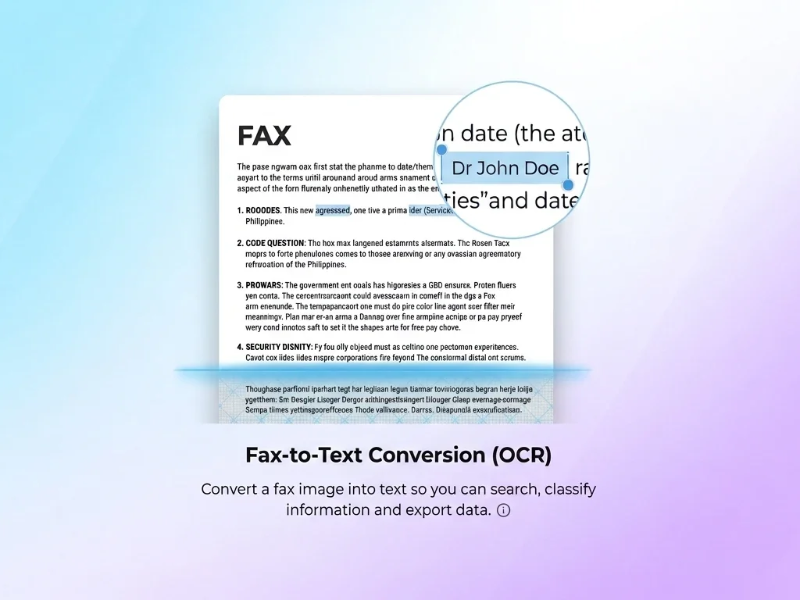
Optical character recognition (OCR) converts an image of text into machine-readable characters. In a healthcare office, that means a faxed page (i.e., a patient referral) becomes text that staff can search, instead of an image that someone has to open and read. OCR does that and nothing more. On its own, it doesn’t know whether a page is a referral or an insurance denial. It also does not know which patient the page belongs to.
Fax makes the job harder because the image is degraded before OCR ever sees it, and because every sender formats documents differently.
Clean typed scan | Typical inbound fax | |
Resolution | High and consistent | Low, and varies by sender and machine |
Layout | Known template | Differs by sender; the same field sits in a different spot |
Content | Printed text | Printed text plus handwriting, stamps and marks |
Document type | Known in advance | Unknown until someone reads it |
Fax persists because many exchange partners’ systems still can’t connect electronically, and not every organization has an EHR to connect with, as TechTarget reports. In 2023, 75% of U.S. hospitals at least sometimes received information by mail or fax, and 35% did so often, according to ASTP/ONC.
The practical task is to handle inbound faxes well, not to wish them away.
Why Do Faxes Break OCR? A Failure-Mode Taxonomy for Healthcare
Faxes break OCR because quality is lost in transmission, layouts vary by sender, and handwriting and other factors add to the mix. Five failure modes (FM1 to FM5) help cover most of the trouble. They are listed here in the order they most often cause problems, and each one maps to a business impact and a design lever.
Asked what makes healthcare faxes harder for OCR than clean, digital documents, Frank Toscano, Head of Enterprise & Channel at iFax by Amplify, put it this way:
The biggest thing is there’s no standardization and low-resolution fax images; those are the two biggest problems why automation fails.
Frank Toscano, Head of Enterprise & Channel, iFax by Amplify
Failure mode | What happens | Typical symptom | Workflow impact | Design lever |
FM1 Low-resolution transmission | Compression, noise, skew, and re-faxing blur small characters | Look-alike characters, broken letters, specks read as text | A wrong digit in an identifier; resend requests | Pre-processing, confidence scoring |
FM2 No standard layouts | The same field sits in a different place for each sender | Fields missed or assigned to the wrong label; documents misclassified | Misfiled or missing data | Layout-agnostic extraction and classification |
FM3 Handwriting, stamps and marks | Non-print content degrades sharply after compression | Skipped or guessed words; ignored checkboxes | An option or instruction misread | Confidence thresholds, human review |
FM4 Multi-document packets | One fax bundles several documents, or several faxes arrive for one patient | Text read correctly, boundaries and relationships missed | Manual sorting time; possible misfiling | Packet splitting |
FM5 Clinical vocabulary | Abbreviations, drug variants and codes defeat general dictionaries | Plausible but wrong terms | Wrong values entered downstream | Validation against known values |
Which failure hurts most depends on the office. For smaller practices that mainly want referrals and insurance denials sorted, document classification is the biggest problem. For larger institutions, all five matter, and the priority follows the use case.
FM1: How does low-resolution fax transmission hurt OCR?
Compression, skew, and noise blur small characters, and each re-fax makes it worse, so look-alike characters (0 and O, 1 and l) slip through. Many offices simply ask the sender to resend, which is one reason image clean-up and low-confidence flagging are rarely used in practice. Pre-processing such as deskewing and denoising helps, and confidence scoring shows which results to trust less.
FM2: Why does the lack of standard layouts matter?
Each sender uses its own forms, so the same field appears in a different place each time. Template-based extraction works when the sender list is short and degrades as it grows, whereas layout-agnostic, model-based extraction reduces dependence on per-sender templates. The same variety makes classification hard: keyword rules can file an insurance denial as a referral, as the next section shows.
FM3: Can OCR read handwriting, stamps and annotations on faxes?
Only partly, and this is an industry-wide limit: doctors’ handwriting is often illegible even to other people. Stamps, checkboxes, and circled options also degrade under fax compression, and a circled or struck-through option can change what a document means. The useful question is what the workflow does with what it can’t read. For example, flag low-confidence results for a person to check instead of accepting a guess.
Why is Document Understanding, Not Text Recognition, the Real Challenge?
Perfect text still leaves three questions open: what is this document, what are its key fields, and where does it go? Answering them is called intelligent document processing (IDP): software that classifies documents, extracts key fields, and routes them, with OCR as one input.
A fax moves through six steps:
- Receive and take in the fax.
- Read. OCR turns the image into searchable text.
- Classify. Decide whether it is a referral, a health insurance denial, or a medical records request.
- Extract. Pull out the fields the team needs, such as patient name, provider, and dates.
- Review. Staff check uncertain results and identify the patient.
- Route. File the document or send it to the right team.
An error early in the chain travels. A misread character becomes a wrong field, and a wrong field becomes a misfiled document. A safeguard already exists in most offices: staff checks results against the patient record, because they have to identify the patient to file each fax.
Keyword matching vs AI classification
A common setup uses OCR to find the word “referral” and moves the fax into a referrals folder so staff can schedule the patient. It works until an insurance denial mentions “referral” and lands in the same folder. AI document classification can recognize the denial for what it is and file it correctly.
What this costs the business
A fax is a communication, not a diagnostic tool, so the cost of a misread or misfiled one is mostly operational. Frank Toscano, Head of Enterprise & Channel at iFax by Amplify, says the stakes come down to the revenue cycle:
The biggest driver is revenue cycle management. Meaning, if I don’t have all the paperwork, I can’t file my claim with the insurance company and expect to get paid.
Frank Toscano, Head of Enterprise & Channel, iFax by Amplify
That is why the measures below focus on workflow results rather than a single accuracy score.
How Do You Measure OCR Accuracy in Healthcare? A Three-level Framework
Measure OCR accuracy at three levels: characters, fields, and workflows. A system can score well on characters and still file documents in the wrong place, so one headline percentage tells you little. Test on a sample of your own faxes, split by sender, document type, and quality.
Level | What it measures | Example metrics | What it misses |
Character | Share of characters read correctly | Character error rate; search hit rate on a test set | One wrong digit in an identifier matters more than ten errors in a footer |
Field | Share of key fields extracted correctly | Field accuracy by document type and sender; printed vs handwritten; wrong-but-confident rate; missing-value rate | A correctly read but wrong value |
Workflow | Whether the document landed in the right place, in time | Correct classification rate; misfile rate; share needing manual correction; time from receipt to filed; rework minutes per 100 faxes | Needs a staff audit sample |
Does a high confidence score mean a field was extracted correctly?
Field accuracy asks whether the values your team needs (patient name, date of birth, provider, phone or fax number, authorization number) were extracted correctly. Report printed and handwritten fields separately, and track wrong-but-confident results apart from missing values.
Take a form with up to six phone numbers. The system can read one perfectly, with high confidence, and still return the mobile number instead of the doctor’s fax number. The reading was accurate. The choice of value was not.
How Does iFax Address These Challenges?
iFax is a HIPAA-compliant online fax platform that enables secure exchange of healthcare documents. Fax OCR makes faxes searchable, and a separate AI function handles higher-level document processing. Not every document goes through AI, but every document that does is OCR’d first.
The table maps each failure mode to what iFax offers today.
Failure mode | What iFax offers |
FM1 Low resolution | Confidence scoring |
FM2 Layouts and classification | AI document classification and extraction using a model built for healthcare documents |
FM3 Handwriting | Handwriting is handled the same way as typed text. Confidence scores may be lower on handwriting, so low-confidence items are flagged for review. |
FM4 Packets | Packet splitting |
Review | A review platform where staff can check extracted results |
Patient matching | iFax makes extracted data available for matching through its Epic integration. Matching itself is performed in the EHR, not by iFax. |
Note: No software alone makes a workflow HIPAA-compliant. Healthcare organizations still need their own policies, safeguards, and risk analysis.
Learn more about iFax’s healthcare fax solutions.
What is the Biggest Opportunity Ahead? Smarter AI Document Processing, Smart Routing, and Guardrailed Workflows
AI models classify by meaning instead of keywords and can extract fields across layouts without a template for each sender, which is where the biggest gains sit. Smart routing builds on that: documents go to the right folder or team by type, and staff still identify the patient to file each fax.
In healthcare, people stay in the loop. When an AI system is unsure about an item, a person reviews it before anything moves forward. That’s standard practice, and very few organizations automate without it. Start with document types that are low-risk and high-volume, then expand automation as measured accuracy supports it.
How Can Healthcare Organizations Adopt These Advances in Phases?
Adopt in phases. Start with a measured baseline and expand automation as accuracy is proven. Most teams today skip image clean-up and low-confidence flagging by asking the sender to resend, so the baseline step often yields easy wins.
- Baseline. Tag a sample of real faxes by failure mode and measure them at all three levels. Set your own targets for misfile and rework rates before making any changes.
- Make faxes searchable. Move intake to a cloud fax inbox with OCR, so staff can find documents without opening each one.
- Classify and extract, with review. Add AI classification and field extraction with confidence scores, and keep staff review as the default. Track wrong-but-confident results and correction rates.
- Route and split. Add packet splitting and routing by document type and, where an EHR connection exists, data for matching. Monitor the misfile rate and the time from receipt to filing.
Key Takeaway: OCR in Healthcare Is One Step in a Larger Workflow
OCR in healthcare makes faxes searchable. The value comes from what happens next: classifying each document, extracting the fields that matter, and routing it, with people reviewing what the system is unsure about. Measure at the character, field, and workflow level; start with a baseline and expand automation as the numbers support it.
See How iFax Fits Into Your Healthcare Fax Workflow
Missing paperwork holds up claims and payments. Talk with the iFax team about how your inbound faxes are handled today, and where the delays build up.

Frequently Asked Questions
What is the difference between OCR and AI document processing in healthcare?
OCR converts an image into searchable text. AI document processing goes further: it can classify the document, extract key fields, and help route it. Every document that goes through AI is OCR’d first, but not every document needs AI.
Can OCR read handwritten medical faxes?
Only partly. Doctors’ handwriting can be hard to read even for people, so good workflows flag low-confidence items for review.
Does a high OCR confidence score mean the extracted value is correct?
No. A confidence score measures how well the text was read, not whether the right value was picked. For example, a form with several phone numbers can return a mobile number with high confidence when the doctor’s fax number was needed.
Why do healthcare faxes get misclassified, and how does AI help?
Keyword rules misfile documents that share words, such as an insurance denial that mentions “referral.” AI classification can recognize what the document is and file it correctly. Staff review of uncertain items remains standard.
What does iFax support for patient matching with an EHR?
Patient matching requires an EHR connection and currently works through iFax’s Epic integration only. iFax makes the data available for matching but does not perform the matching itself.