If you encounter access issues with broadcast fax portal logins, verifying account credentials, and taking practical troubleshooting steps usually resolves the problem.
Below is an overview of the jBlast secure login process, its common problems that users encounter, and how to resolve them efficiently, as well as alternative options for organizations that require reliable fax broadcasting.
Table of Contents
Understanding the jBlast Login Process
Even with established broadcast fax services, login and platform access issues happen. The same goes for jBlast. Users may encounter friction during the jBlast login process, particularly when encountering credential errors, security checks, or system-related access issues.
The jBlast login is the gateway to managing fax broadcasts, contact lists, reporting, and delivery settings. Like many platforms, jBlast relies on a secure, credential-based authentication system designed to protect sensitive business and healthcare communications.
In most cases, users access jBlast by:
- Navigating to the official login page
- Entering secure username, password, and other account details
- Completing any required security validation steps
The jBlast secure login process safeguards fax broadcast transmissions that may include regulated or confidential information. While this security-first design is necessary, it can sometimes introduce usability challenges, especially for teams managing high-volume broadcasts or rotating staff access.
Common jBlast Login Access Issues
Users searching for “jBlast login” often do so because they are experiencing issues with accessing or logging into their account. We’ve listed below some of the most common problems and why they occur.
Incorrect login credentials
Entering the wrong login username and password can happen, and often, it’s due to:
- Password expiration or recent resets
- Case-sensitive credential entry
- Confusion between multiple accounts or user roles
Multiple failed attempts may temporarily lock the account, further delaying access.
Account lockouts and security triggers
To protect against unauthorized access, the jBlast secure login system may trigger lockouts after multiple unsuccessful login attempts. While effective for security, this can disrupt time-sensitive fax blast campaigns, especially in healthcare, legal, or financial environments.
Browser compatibility issues
Some users report difficulty logging in due to browser-related issues, such as:
- Outdated browser versions
- Disabled cookies or JavaScript
- Conflicts with browser extensions or pop-up blockers
Modern browser updates can occasionally cause unexpected login issues because certain fax platforms are optimized for specific environments.
Network or firewall restrictions
Organizations with strict IT policies may block access to external fax broadcast platforms. If a firewall or network security tool restricts outbound connections, the jBlast login page may fail to load or authenticate properly.
Inactive or suspended accounts
Accounts that remain inactive for extended periods or carry billing or compliance flags may be suspended, which can cause login attempts to fail without clear error messaging.
Practical Steps to Resolve jBlast Login Problems
Before considering alternatives, users or organizations with accounts experiencing login or access issues can consider a structured troubleshooting approach, including the following:
Verify login credentials and perform a password reset
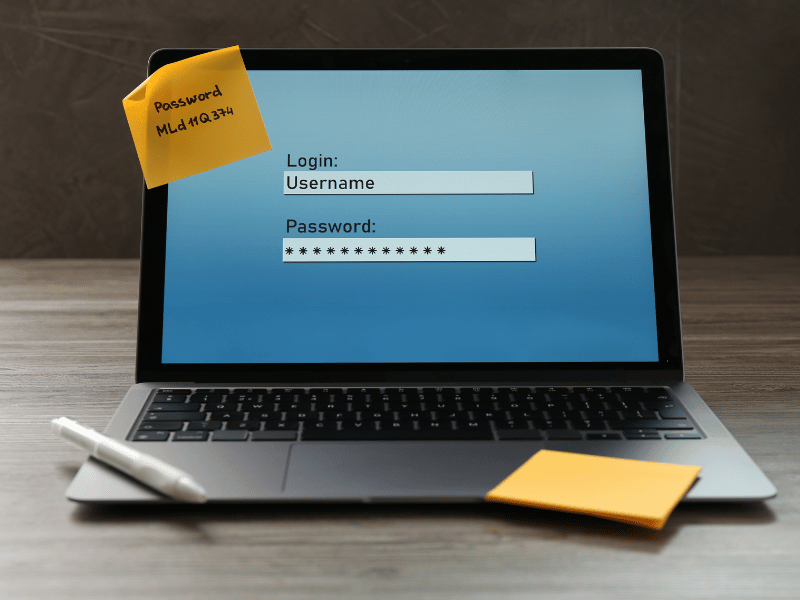
Ensure that you’ve entered the correct email or username. If there is uncertainty, initiate a password reset through the official recovery process. Use a secure password manager to avoid repeated errors.
Check browser and device settings
- Update the browser to the latest version
- Enable cookies and JavaScript
- Temporarily turn off or deactivate extensions that may interfere with the jBlast secure login authentication process
- Try accessing the login page from an alternate browser or device
Review network restrictions
If logging in from a corporate network, confirm with IT administrators that the required domains and ports are not blocked. Testing access from a different network can help isolate the issue.
Contact official support channels
For persistent access issues, reaching out to jBlast’s official support team is often necessary. Support can confirm account status, unlock accounts, or clarify security-related blocks.
While these steps address most short-term problems, some organizations use repeated login friction as a signal to reassess whether their current fax broadcasting solution still meets operational needs.
Why Consider Exploring Modern Broadcast Fax Alternatives
Login and access issues are often part of a broader evaluation. Many organizations experiencing login challenges are also reassessing fax broadcasting tools due to evolving requirements.
Key drivers for considering modern fax broadcast alternatives include:
- Need for a faster platform onboarding and easier access management
- Preference for cloud-native platforms optimized for modern browsers
- Demand for better visibility into delivery analytics
- Integration with existing digital and AI-powered workflows
- Compliance with different industry regulations
As fax broadcasting remains relevant in regulated industries, ensuring reliable delivery and smooth, uninterrupted access is critical for maintaining compliance and operational efficiency.
See: jBlast VS iFax – Fax Broadcasting Service Comparison
Key Takeaway
The jBlast secure login system protects sensitive fax communications, but access issues can disrupt workflows. Understanding common problems and applying troubleshooting steps often restores access quickly.
Persistent login challenges could prompt many organizations to consider alternative solutions.

Modern Fax Broadcasting Alternatives to Consider
Several fax platforms now offer fax blasting capabilities along with updated infrastructure and streamlined authentication models. These alternatives typically focus on reducing access friction while maintaining strong security controls.
Cloud-based fax broadcast services
Modern cloud solutions often replace complex login workflows with:
- Single sign-on (SSO) support
- Role-based access controls
- Simplified user provisioning
- Improved session management
This approach can reduce the frequency of login-related issues without compromising the integrity and security of user data.
Security considerations when switching platforms
When evaluating any alternative, organizations must make security and compliance a top priority, especially when handling sensitive information. It pays to verify whether the platform utilizes robust end-to-end data encryption, maintains detailed audit trails, enforces robust user access controls, and meets relevant regulatory standards, such as HIPAA, SOC 2, and GLBA.
More than a modern interface, the platform’s underlying security architecture must also fully align with industry regulations and organizational security protocols.
Choosing the right fax broadcast solution for your use case
Not every organization experiencing jBlast login issues must switch platforms. Some organizations can address this issue by updating their access credentials and implementing improved internal processes.
Evaluating multiple solutions, including established providers and modern platforms like iFax, allows decision-makers to compare reliability, usability, and long-term scalability.
iFax Over jBlast for Login Convenience and Broadcast Faxing Flexibility
For organizations seeking a reliable fax broadcast solution, iFax offers a modern and cloud-based alternative. From an access and usability perspective, iFax emphasizes:
- Secure and simplified login process
- Cross-platform support (has native mobile fax apps and can work on multiple devices)
- Cloud integration and streamlined broadcast fax management
- Real-time broadcast fax status tracking and notifications
- Live support whenever you need it, from expert humans
Send secure, high-volume faxes with ease. Explore iFax’s powerful fax broadcast features by requesting your free demo today.