Release Date: December 18, 2025
iFax Web 7.29 now offers an even more enhanced user dashboard experience. Effortlessly navigate your way through specific dashboard views and faxes with one-click shortcuts, making workflows faster and more efficient.
See what’s new and how these latest updates help improve your online faxing.
What’s New With iFax Web 7.29?
Improved User Dashboard Experience
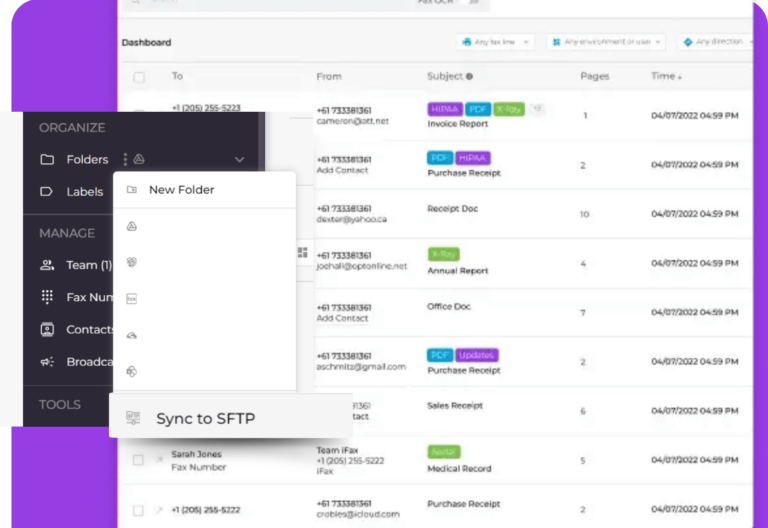
The iFax Web fax dashboard now features improved column management and fax previews, along with quick access to document-level shortcuts.
Manage Columns: Easily Show or Hide Dashboard Data
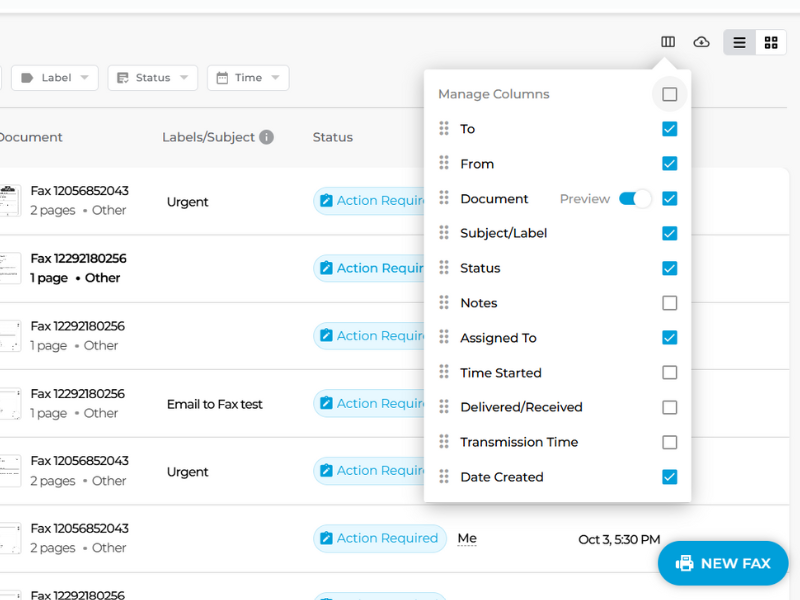
There’s now a “Manage Columns” option in the main fax dashboard and navigation tabs, helping facilitate faster decision-making through improved visibility and control of fax data.
Instantly select which columns you want to display in your fax inbox, drafts, documents, and other dashboard tabs by checking or unchecking options under “Manage Columns”, giving you a more personalized view of your fax workflow.
High-Resolution Fax Preview on Hover
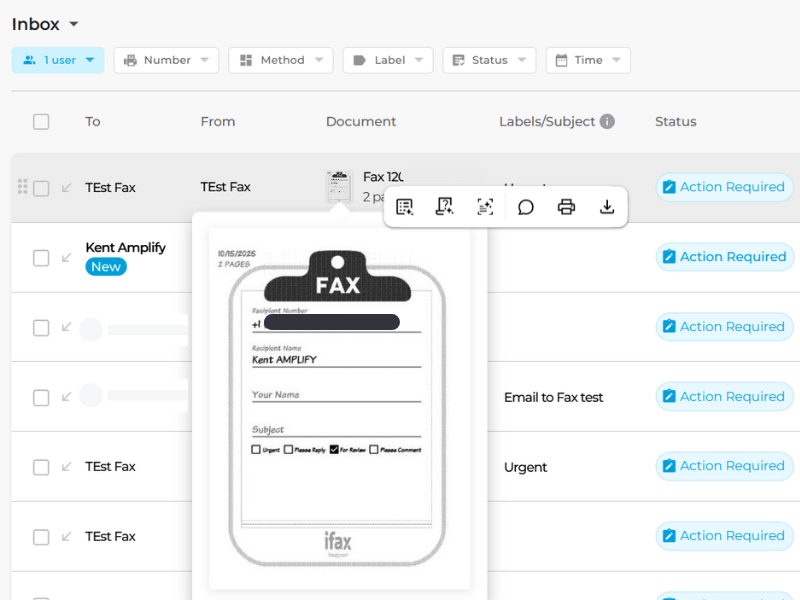
From “Manage Columns”, you can enable the option to display thumbnail previews for fax documents. Hovering your mouse over a fax thumbnail displays a high-resolution preview. With fax previews on hover, it’s easier to check the fax content without needing to click and open the full document.
Document-level shortcuts
Hovering over the fax thumbnail also gives you access to other document-level shortcuts for the following iFax features and tools:
- Summarize Document with AI
- Query a Document (using AI)
- Convert to Text (OCR)
- Add Notes
- Download
Adding and viewing notes
The latest iFax Web 7.29 update has made adding and viewing notes a lot easier.
Instead of opening the document and navigating to the Notes tab, you can either click “Add Notes” from the fax thumbnail hover menu or make the Notes tab visible on the dashboard via “Manage Columns“.
Having quick access to all the notes added to each fax makes it faster to track critical details, collaborate with colleagues, and stay organized. There’s no need to switch between multiple screens or open each fax individually.
Custom Views With Saved Filters
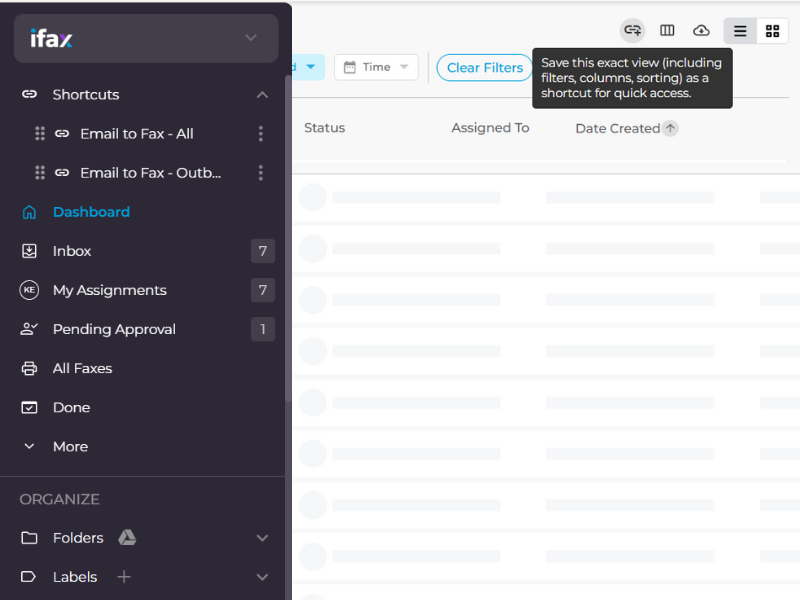
iFax Web 7.29 further enhances online fax workflows for greater efficiency. Its latest update allows users to save and access custom dashboard views with one-click shortcuts.
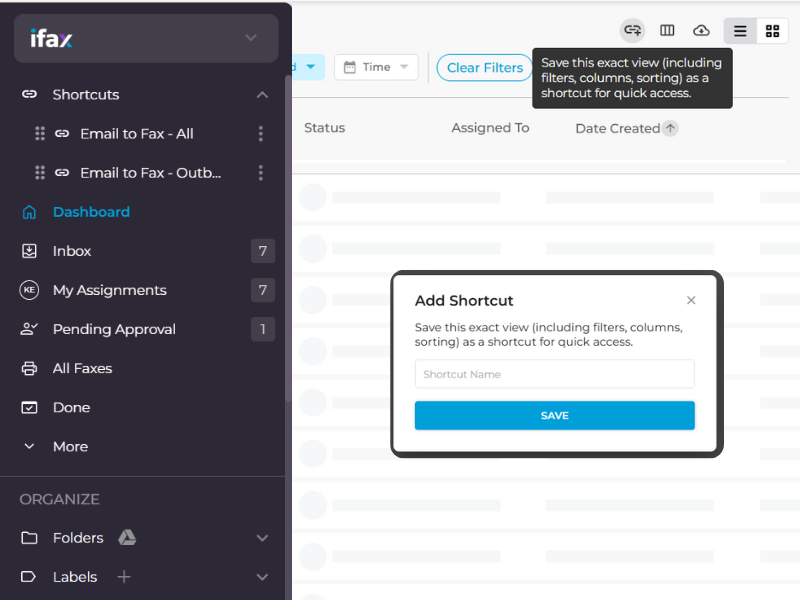
Save the exact views of your dashboard, inbox, drafts, broadcast faxes, and more as shortcuts for instant access and fax document management. Saved custom views include filters, columns, and sorting.
- Custom view shortcuts will appear at the top of your dashboard menu panel.
- The top saved shortcut will become the default view every time you log into iFax Web.
- Users can drag, rename, reorder, and delete shortcuts right from the dashboard for a fully personalized workflow.
- Account administrators also have complete control over which shortcuts can be shared among team members and whether a particular user can use the said functionality.
Improved Contacts Management
Another major update included in iFax Web 7.26’s release is the addition of the “Contact Group” column in the contacts management tab.
Navigating to Manage > Contacts will now display a detailed recipient list, allowing you to identify quickly and sort contacts based on their assigned contact groups.
Faster Navigation With Global Search in Broadcast Tab
iFax’s Broadcast Fax tab now features an improved and more streamlined interface with global search functionality, providing faster navigation and access.
Save time and eliminate the hassle of locating campaigns, templates, labels, and broadcast lists.
With global search, you can quickly locate any broadcast fax asset by typing into the search bar. There’s no need to browse through a long list of fax broadcasts.
Reorder Automations With Custom Sequencing
Another new feature that’s worth checking is the ability to reorder automations.
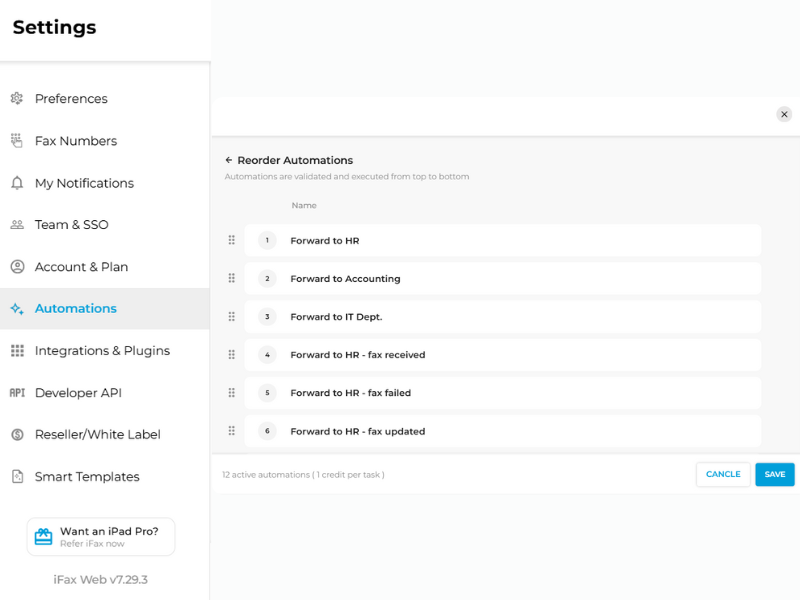
From the fax dashboard, navigate to Tools > Automations. There, you’ll see a list of automations that have been created and saved. Easily drag and reorder the automations according to your desired sequence.
Note: Custom sequencing will automatically execute fax automations from top to bottom.
Take Full Control of Your Fax Workflow
This latest web app version release puts efficiency and personalization at the center of your fax management. With one-click shortcuts to custom dashboard views, high-resolution document previews, streamlined notes, improved contacts management, and other enhancements, you can navigate your faxes faster, collaborate more effectively, and make smarter decisions in less time.
Experience a dashboard designed to adapt to your workflow. Save your preferred views, reorder automations, and access critical tools right when you need them.
iFax Web 7.29 isn’t just an update. It’s a complete level up in how you manage, track, and execute your online faxing.
Explore what’s new with the latest iFax Web by requesting a free demo or starting a fax trial.