Short Answer: Yes, you can still fax at Staples via their in-store copy, print, scan, and fax services. Costs typically range from $2.19 per page for local faxing, though prices can vary by store or region.
To send a one-time fax, you can use the store’s self-serve print and fax machines. If you need a faster way to send a fax than going to Staples, iFax lets you send and receive faxes online.
In This Guide
Can You Fax at Staples?
The Staples fax service offers local, long-distance, and international faxing that comes with a printed confirmation page. Most Staples stores have self-service machines for printing and faxing, making them the go-to place for anyone who needs to send or print vital documents.
See also: Does Office Depot Have a Fax Service?
Can I Get Documents Scanned at Staples?
Yes. Besides faxing at Staples, you can also access copy, print, and scan services, making it a convenient one-stop destination for business and marketing needs.
For its document scanning service, you can choose to have the scanned documents sent directly to your specified email address. Another way is to upload them to a USB drive or send them to a contact via fax.
How to Use the Staples Fax Service
The self-service scanning kiosks at Staples are easy to use, so it shouldn’t take too long for you to figure out how they work. What’s great about using these kiosks is that you don’t have to rely on others to get the job done.
It’s easy to double-check everything and ensure that each fax document gets through without fail. If you need any help, their in-store experts are ready to assist, especially when there is an unexpected transmission error or a paper jam.
Sending a Fax
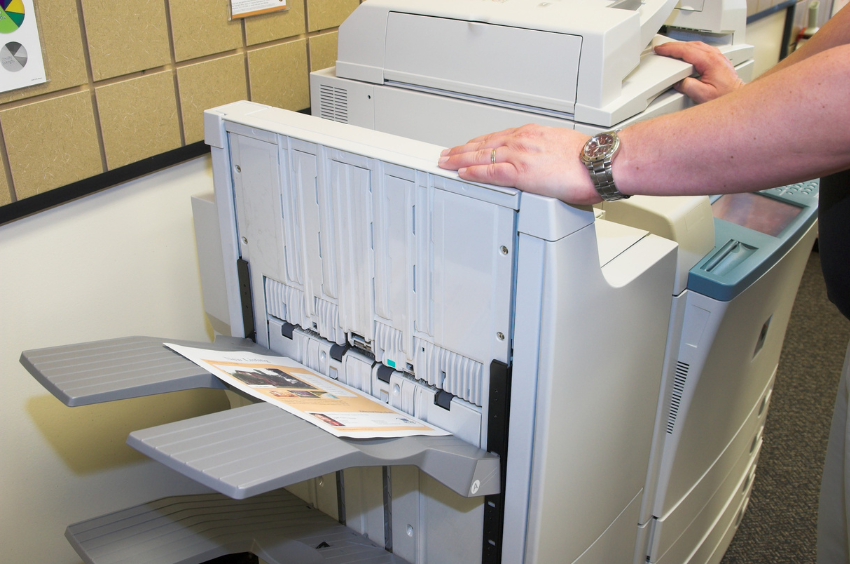
If you are sending a fax, prepare your documents before you go to the nearest Staples business center. Arrange them so that the cover sheet gets faxed first. If your copy is in digital format, do not forget to store it in a portable USB drive. You can also import your documents directly from Dropbox, OneDrive, or Google Drive.
Once everything is set, follow these steps:
- Go to your nearest Staples fax service center. Use the official store locator to find one near you.
- Once you’re there, look for their self-service fax machines and printers.
- Press the Fax button on the machine’s touch screen.
- Select a payment option. While waiting for confirmation, arrange the documents in the document feeder.
- Dial the number of the fax recipient. Press Send to transmit your documents.
- Wait until the machine prints out a fax confirmation page before removing your paperwork from the document feeder.
Receiving a Fax
If you expect to receive a fax, it would be best to call the store ahead of time and ask for their fax number. The rest of the steps are as follows:
- Go to your nearest Staples fax service center.
- Ask the staff to receive the fax on your behalf.
- Pay the amount due and receive the printed fax documents.
It’s that simple.
How Much Does It Cost to Fax at Staples?
Here are the updated rates for sending faxes at Staples. Note that prices may vary depending on the store’s location.
Local: $2.19 per page ($1.59 per additional page)
National: $2.39 per page ($2.19 per additional page)
International: $5.99 per page ($3.99 per additional page)
On the other hand, incoming faxes would cost around $1 per page. Note that the cost may vary between stores. Staples fax prices may also change without prior notice.

Faxing Online vs Faxing at Staples: Which Is Better?
Going to the nearby Staples fax service center may seem convenient, but what happens if you can’t find a branch near you?
In contrast, online fax allows you to send and receive a fax without relying on a fax machine and phone line. You can also fax from anywhere, no matter the time or location.
There’s no need for you to leave your office or home to fax a document. You can do it using any internet-enabled device like your laptop, tablet, or smartphone.
Here are more reasons why faxing online is far more advantageous.
Convenient
You can make the most of your time since you can transmit documents with just a few clicks. There’s no need to drive and get stuck in traffic just to send or receive a fax. Since you can fax on the go, it doesn’t matter if you’re traveling or working from home. There’s also no need to queue up and wait for your turn at the fax service center.
Environment-friendly
Faxing online doesn’t require printing or scanning, which is another way to reduce your carbon footprint. Since there’s no need to go out and drive to a physical location, you also limit your fuel consumption. You can use that spare time on far more productive tasks, such as closing another business transaction.
Cost-efficient
Not needing to print anything means less expense and more savings. With online fax, you only need to pay per fax or pay for a recurring subscription. Using the Staples fax service may not cost you much, but you may end up buying unnecessary items while you’re inside this office supply store.

Can I Still Fax Without a Staples Faxing Service Near Me?
Absolutely. Online faxing services like iFax let you send faxes from your phone, PC, or laptop. It’s the best solution if you’re unable to use the self-service fax machines at Staples. Think of it as a portable fax machine you can use whenever and wherever. You can fax by email using Gmail or Outlook.
With iFax, you can:
- Edit, sign, and annotate PDFs
- Fax to a local or international number
- Use custom cover pages
- Get a toll-free fax number
- Track documents using audit logs
- Securely send faxes using 256-bit encryption
- Streamline your document workflow
Using iFax to send faxes requires little time and minimal effort. You can even start with a free plan, which allows you to send up to 5 fax pages per month. If you’re only looking to fax a couple of pages, you can also look into our pay-per-fax service, which is ideal for occasional faxing in exchange for a fixed rate.
It is an ideal alternative to the Staples fax service since you only get to pay for the total number of faxed pages. With iFax, you also secure your faxes using AES encryption without paying for a monthly or yearly subscription.
To send a one-time efax using iFax, you need to:
- Go to ifaxapp.com/pay-per-fax-online. No need to create an account.
- Use the compose tool to send a new fax message. Enter your recipient’s fax number and fill out the rest of the required fields.
- Click Add Document to upload your files. You can also drag and drop the documents directly into the file attachment box.
- Click Send. Afterward, provide the details of your payment.
- Check your email for updates. You should get a confirmation message stating the successful delivery of your fax.
That’s it. With our iFax pay-per-fax service, you can pay as low as $1.99 per page. You can also keep track of your outgoing and incoming faxes via app and email.
Fax From Anywhere, at Any Time
Faxing at Staples is ideal if there’s a branch near you, but there will be instances when the said office supply store would be unable to cater to your needs. What if you need to fax a document in the middle of the night when the store is already closed?
It’s high time to choose a far more convenient option. With iFax, you can send and receive documents without stepping foot outside your home or office. iFax provides a reliable and efficient fax provider service that allows you to seamlessly handle your faxing needs.
Why stick with fax machines when you have a simple and affordable online faxing service like iFax? Start free, or choose a paid plan that best suits your needs. iFax eliminates the need for a physical fax machine service, letting you send and receive faxes digitally.
Whether you’re using a computer or a mobile device, iFax offers a user-friendly fax app that makes the entire process smooth and hassle-free. Now you can manage your faxing tasks on the go, ensuring that you never miss an important document transmission.